Contents
Most free SEO checkers tell you your title is too long and your meta description is missing, then ask for your email. That’s useful, but it’s not an audit. A real website SEO audit has to answer three questions: can Google find and understand the page, will people click it, and will the page load fast enough that they stay?
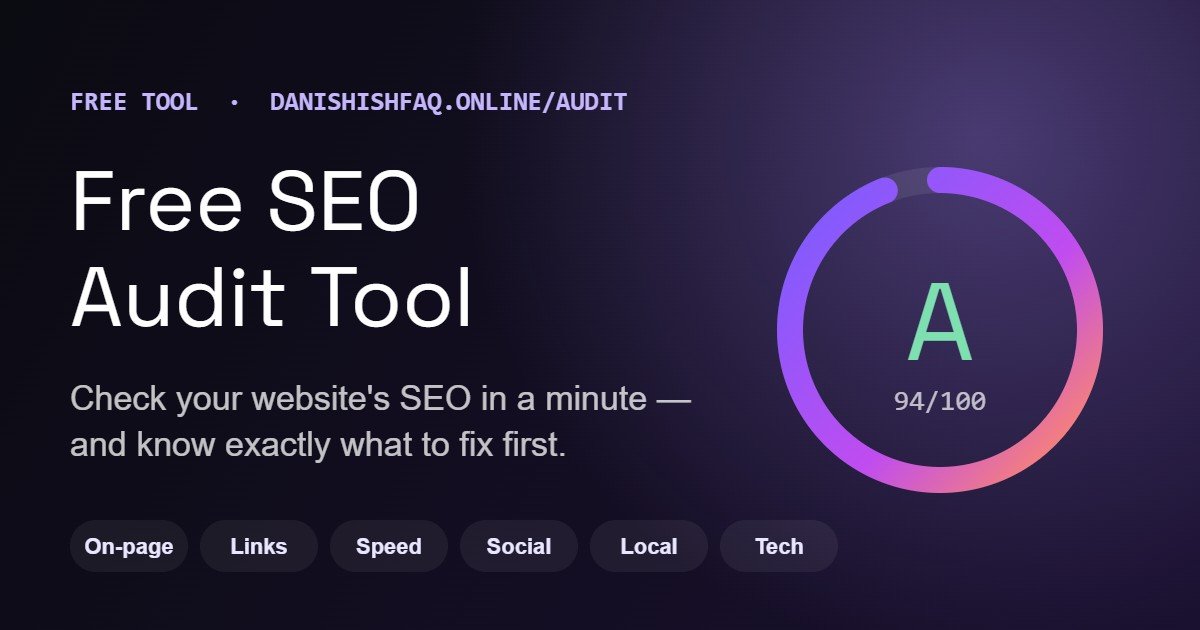
I built the free SEO audit tool on this site to answer all three in about a minute. This guide explains what it checks, how the score works, how to read the report, and — most importantly — what to fix first.
What the free SEO audit tool checks#
Enter any page and the tool downloads the live HTML (the same thing Google sees), tests the links on it, checks the server and runs Google’s PageSpeed test on a simulated phone and a desktop. It then grades six areas and explains every result in plain English. There are over 50 checks in total.
1. On-page SEO#
The core of any SEO checker: title tag length, meta description length with a preview of how the page looks in Google, the H1 and the full heading outline, word count, your most-used keywords and whether they appear in the title, description and headings, image alt text, the canonical tag, noindex instructions, the language tag, hreflang, robots.txt, the XML sitemap, structured data (schema) and whether an analytics tag is installed.
2. Links#
It counts internal and external links and checks up to 40 of them for errors, so broken links (404s, dead domains) and redirect chains show up with the exact URL and the link text. It also flags nofollow on your own pages, messy URLs (session IDs, long query strings, underscores) and empty or generic anchor text like “click here”.
3. Performance and Core Web Vitals#
This is where most free checkers are weakest. The tool runs Google PageSpeed Insights on mobile and desktop and shows both scores as gauges. If Google has real-visitor data for the page, you also get your Core Web Vitals — Largest Contentful Paint (loading), Interaction to Next Paint (responsiveness) and Cumulative Layout Shift (stability) — rated Good, Needs improvement or Poor. Below that: total page weight broken down by file type, the number of requests, render-blocking CSS and JavaScript, image savings, unused JavaScript, caching, and screenshots of the page on a phone and a laptop.
4. Social sharing#
When someone shares your page on Facebook, LinkedIn, WhatsApp or X, the preview comes from Open Graph and Twitter card tags. The tool checks those tags, then downloads your share image and measures it — wrong size, broken image or an SVG that social networks won’t show are all caught. It also finds links to your social profiles.
5. Local SEO#
For businesses that serve customers in a place: a visible phone number (and whether it’s a tap-to-call link), a street address, LocalBusiness or Organization schema and how complete it is, a contact page, and a Google Maps embed or a link to your Business Profile. Online-only businesses aren’t penalised for having no address.
6. Technology and security#
The checks almost nobody else includes in a free tool: SSL certificate expiry and whether it covers your domain, hosting and CDN, the platform and plugins the site runs on, character encoding, doctype, security headers, exposed software versions, and your email records — MX, SPF and DMARC. Missing SPF or DMARC lets anyone send email pretending to be you, and makes your real emails more likely to land in spam.
How to run your first audit#
- Open the free SEO audit tool and type your address — the home page, a product page or a blog post. Each page is audited on its own, so start with the page that matters most for sales.
- Click Audit and wait for the progress bar. You’ll see each step tick off: fetching the page, on-page SEO, links, social, local SEO, technology, then Google PageSpeed. Most audits finish in 30–90 seconds.
- When the bar reaches 100%, the full report appears.
How to read the report#
At the top you get an overall grade from A+ to F, a one-line verdict (“Good — 9 things to improve, 2 of them high priority”), screenshots of your page and a grade for each of the six sections.
The overall score is weighted by what matters most: on-page SEO counts for 30%, performance 25%, links 15%, and social, local SEO and technology 10% each. Serious problems also count more than small ones — a missing H1 or a broken share image costs three times as much as a minor warning — so a site can’t score well just by passing lots of easy checks.
Under the grade is the most useful part: Fix these first. It lists the high- and medium-priority issues across every section, already sorted, each with a one-sentence fix. Below that, every section can be opened check by check, and each check has a “Why it matters” and a “How to fix” note written for site owners, not just developers.
When you’re done you can download the report as a PDF or JPG, or copy a share link to send to your developer.
What to fix first: a practical order#
An SEO audit can list 20 things. You don’t need to fix them in the order they appear. This is the order I use on client sites:
- Anything that stops indexing. A noindex tag, a robots.txt rule blocking Google, a canonical pointing to another page or an http version that doesn’t redirect to https. Nothing else matters until Google can index the page.
- Broken links and redirect chains. Broken internal links waste crawl time and frustrate visitors; fixing them is usually quick.
- Title, meta description and H1. These decide whether people click your result. They take minutes to change and often lift clicks within weeks.
- Mobile speed. Start with the biggest saving the report shows — usually oversized images, render-blocking CSS and JavaScript, or apps and plugins loading on every page.
- Structured data and social tags. Schema helps Google understand your business and products; good Open Graph tags make every share work harder.
- Technical hygiene. SPF and DMARC, security headers and hidden version numbers. They protect the site and your email reputation.
Then run the audit again. Re-checking the same website is free for 24 hours, so you can confirm each fix as it goes live.
A real example: auditing this website#
The first site I ran through the tool was my own. It scored an A overall, but the report still found real work:
- The home page meta description was 211 characters, so Google cuts it off mid-sentence. It needs trimming to around 155.
- The page had 398 words — just under the 400-word mark the tool uses for thin content.
- Mobile speed was 75/100, with about 1.2 seconds lost to render-blocking CSS and JavaScript. Desktop scored 95.
- The phone number was visible but not a tap-to-call link, and none of the five recommended security headers were set.
None of these would show up in a basic title-and-description checker, and each one is a small, specific fix. That’s the point of a good audit: not a score to feel good or bad about, but a short list of things to do. You can read how I fixed the bigger problems on this site in my headless WordPress SEO case study.
How it compares to a typical free SEO checker#
| Feature | Typical free checker | This tool |
|---|---|---|
| Title, meta description, headings | Yes | Yes, with a Google result preview |
| Broken link check | Rarely | Up to 40 links per page |
| Speed test | One device, often its own test | Google PageSpeed, mobile and desktop |
| Real-visitor Core Web Vitals | Rarely | Yes, when Google has the data |
| Share image size check | No | Yes, downloads and measures it |
| SSL, SPF, DMARC, security headers | No | Yes |
| Fixes written in plain English | Sometimes | For every check |
| Email required | Usually | No |
What the tool doesn’t do#
It’s worth being clear about the limits:
- It audits one page at a time, not your whole site. Run your most important pages one by one.
- It doesn’t check backlinks or rankings. For those you need a paid crawler such as Ahrefs or Semrush, or Google Search Console.
- Some sites block automated tools. If a firewall or CDN refuses the scan, the tool tells you instead of guessing.
- Lab speed scores move a little between runs. Real-visitor Core Web Vitals are the numbers Google actually uses.
Free and paid plans#
The audit is free for one website every 24 hours — full report, downloads and share link included, no sign-up. If you audit lots of sites, for example as a freelancer or agency, there are two plans: Pro at $20 a month for 50 website audits, and Agency at $50 a month for 200.
FAQ#
Is the SEO audit tool really free?#
Yes. One website every 24 hours is free, with nothing to sign up for. Re-checking that same website within the 24 hours is also free.
Does it work on Shopify and WordPress?#
Yes. It reads the public page, so it works on Shopify, WordPress, WooCommerce, Wix, Squarespace, Webflow and custom-built sites, and it shows which platform it detected. If you’re still choosing a platform, my WordPress vs Shopify comparison may help.
What is a good SEO score?#
80 or above means the basics are in place, and 90+ is excellent. Treat the score as a guide and the “Fix these first” list as your to-do list.
How often should I audit my website?#
After any redesign, theme change, new app or plugin, or platform migration, and otherwise once a month for your key pages.
Run your free audit#
Check your website’s SEO now — it takes about a minute. If the report finds problems you’d rather not fix yourself, I do this work every week on Shopify and WordPress sites: technical SEO, Core Web Vitals and site speed. See my services, browse the sites I’ve built, or get in touch for a manual audit.
I build fast Shopify stores and WordPress sites with technical SEO engineered in, and AI automation that takes repetitive work off your team.
Need help with your Shopify store, WordPress site or AI automation?
Tell me what you’re working on, or start with a free audit of your site.